SOLUTION · AI CHATBOTS AND APPLIED AI
Digitizing a restaurant menu with artificial intelligence
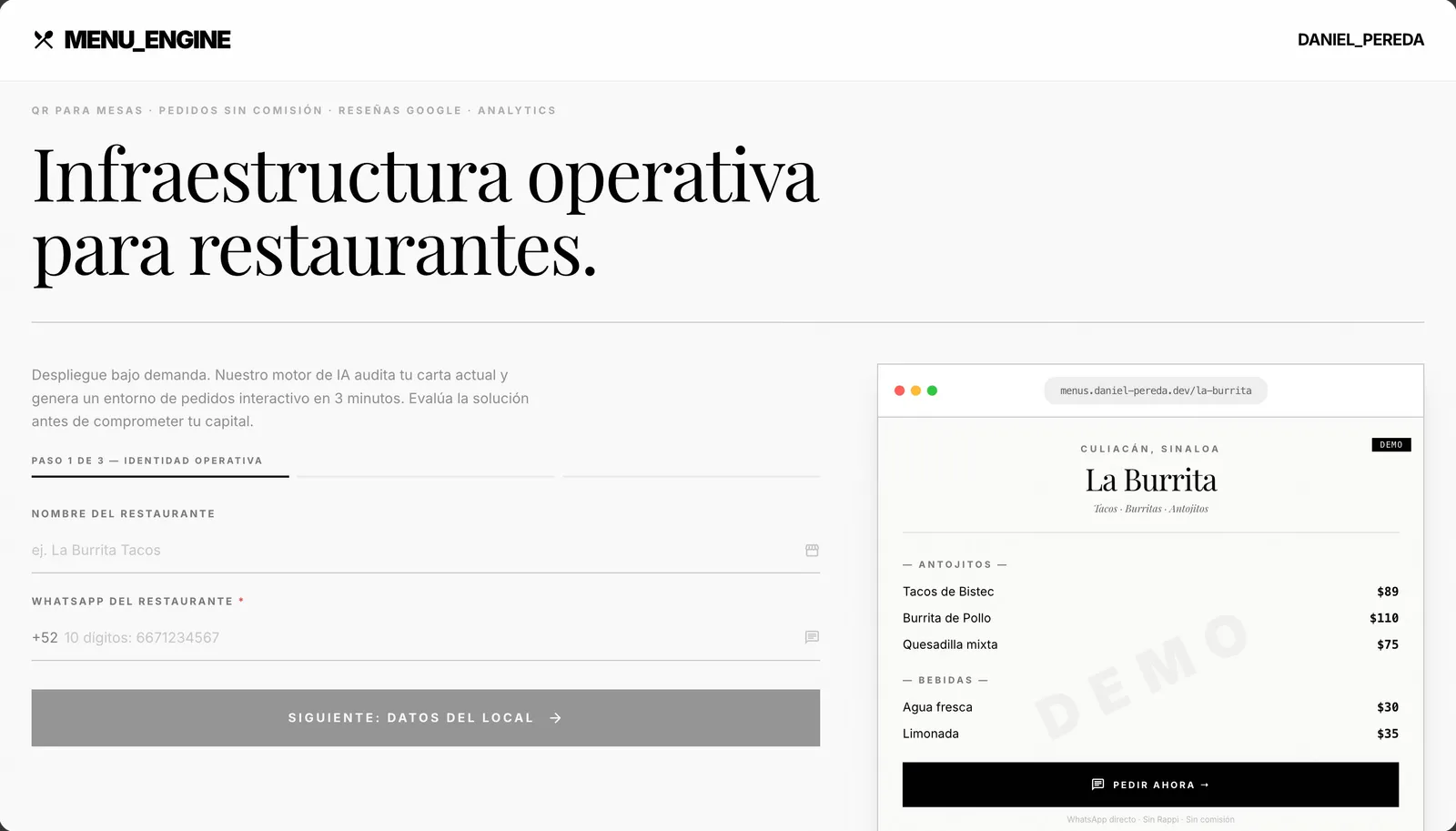
Digitizing a menu with AI means taking a photo or PDF of your menu and getting a structured catalog — sections, dishes, prices, sizes and add-ons — that's reviewed and corrected before it's published on your website, a QR menu or an ordering chatbot. I'm building Menu Engine, a beta MVP that does exactly that, and I apply the same approach to custom projects.
What’s happening today
Many restaurants have their menu on a printed board, a laminated sheet or a PDF designed for the print shop. The day they want it on an ordering platform, their website or a QR menu, someone has to retype the whole thing: names, descriptions, prices, sizes, add-ons and modifiers. For an eighty-item menu that's hours of data entry, usually done late at night after closing.
And it's never done just once. Every price change, seasonal dish or promotion means updating it again everywhere the menu lives, and every platform wants a different format. Typos end up in front of customers: an old price on the QR menu, a dish that no longer exists on the website, or a mismatch between what the menu says and what the register charges.
There's a less visible problem too: a PDF or image menu is hard to read on a phone, Google doesn't understand it well and it can't be reused. A menu stored as structured data can feed your website, the table QR codes, an ordering chatbot and even inventory at the same time, because every dish is a record with its price and category.
AI helps a lot with the first capture, but it's not infallible. It confuses sections when the design is very decorative, merges two dishes that sat on the same line, misreads a price in a stylized font or invents a category that doesn't exist. That's why the real value isn't only the extraction but a clear review step before publishing: the AI proposes, a person approves.
How I’d solve it
- 01
AI extraction from a photo or PDF
The menu image or document is processed with vision models to get a structured draft: sections, items, descriptions and prices. When a price is unreadable, the system flags it as "review" instead of guessing.
- 02
Categories and variants
The system groups items into coherent categories and detects common variants — small, medium and large; full or half portions; add-ons like cheese or avocado — so they don't end up as duplicate dishes.
- 03
Human review as a required step
A review screen lets you compare the draft with the original menu, fix prices, split dishes that were merged and move items between sections. Review is part of the product, not an optional step skipped in a hurry.
- 04
Publish and reuse
The approved menu becomes data that can be published on your website, on a QR menu that updates without reprinting the code, in an ordering chatbot, or exported for other platforms.
- 05
Easy upkeep
Changing a price or hiding a sold-out dish happens in one place and shows up on every channel, so the digital menu doesn't go stale a week after launch.
Example flow with Menu Engine
- You upload a sharp photo of your printed menu or the PDF from your printer.
- The AI proposes sections (starters, mains, drinks, desserts) with their items and prices.
- Prices it couldn't read with confidence are highlighted in color.
- You review the draft side by side with the photo, fix one price and split two dishes that were merged.
- You approve the menu and it goes live with its own link and QR code.
- When a price changes, you edit it once and it updates everywhere it's displayed.
Related work
Frequently asked questions
Is Menu Engine available yet?
It's in a functional beta: extraction, categorization and editing work, and I'm still improving stability and the editing experience. It isn't an open commercial product yet. If you'd like to try it with your menu or need something similar integrated into your own system, write to me and we'll talk it through.
Can AI read any menu accurately?
It works best with sharp, well-lit photos and menus with a clear structure. Handwritten menus, heavy decoration, textured backgrounds or prices spread across several columns need more review. That's why the flow always includes a human correction step and flags what it couldn't read reliably instead of inventing a value.
What's the difference between a PDF QR menu and a structured digital menu?
A QR code that opens a PDF is just a picture of your menu: hard to read on a phone, not searchable, and every change means a new PDF. A structured menu stores every dish as data: it adapts to the screen, can be filtered, updates in seconds and can be reused on your website, a chatbot or inventory. The QR code itself can stay the same forever.
Are there free options for a digital menu?
Yes. There are QR menu platforms with free or monthly plans, and for many restaurants they're enough. A custom build makes sense when you want the menu connected to your orders, inventory or website, when you run several locations with different prices, or when you don't want to depend on a third-party platform.
What determines the cost of digitizing my menu?
The size and complexity of the menu (number of dishes, variants and modifiers), how many locations or versions there are, where it will be published (website, QR, chatbot, ordering platform) and whether your staff needs to edit it from a dashboard. A single menu published as a QR menu is a small project; a multi-location menu connected to ordering is a bigger one.
This solution is part of my ai chatbots and applied ai service.
Want to talk it through?
If your situation sounds similar, tell me how you work today. I’ll tell you which part is worth automating or building first.